
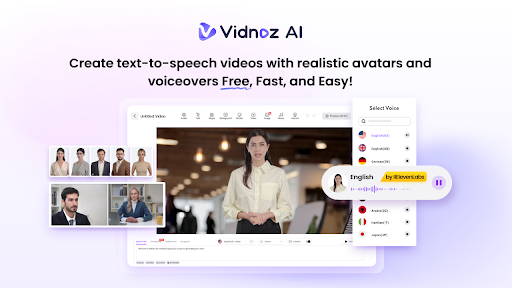
Not long ago, creating a high-quality executive video required renting a studio, hiring talent and camera operators, and spending thousands of dollars on production costs. Fast-forward to today, and platforms like Vidnoz AI completely upend that model. Now, you can produce professional presenter videos online in minutes without a camera or editing experience. All you have to do is start using Vidnoz AI. Here’s how it works.
What Is Vidnoz AI?
Vidnoz AI is a video creation platform that lives inside your browser. Built with machine learning algorithms, the platform automates much of the video creation process, including layout/design, animation, and editing. You provide the text/script, upload media like images and logos, select your preferred style/look, and Vidnoz assembles it all into a finished video. The free plan includes 1,900 AI avatar voices, 2,800 video templates, and thousands of stock photos, music tracks, and video extras you can customize each day.
Exploring the Features of Vidnoz AI
Creating videos with Vidnoz AI is free. You can access every feature, create unlimited videos, and download your finished videos in HD every day with no credit card required. Furthermore, the platform is certified with ISO/IEC 27001:2022 for Information Security Management, ensuring your data remains fully protected.
As you can see, the platform offers a variety of options to customize your video from start to finish. So, whether you’re creating a product demo video, customer testimonial, or website presentation, let’s show you how simple Vidnoz makes the process.
AI Avatars
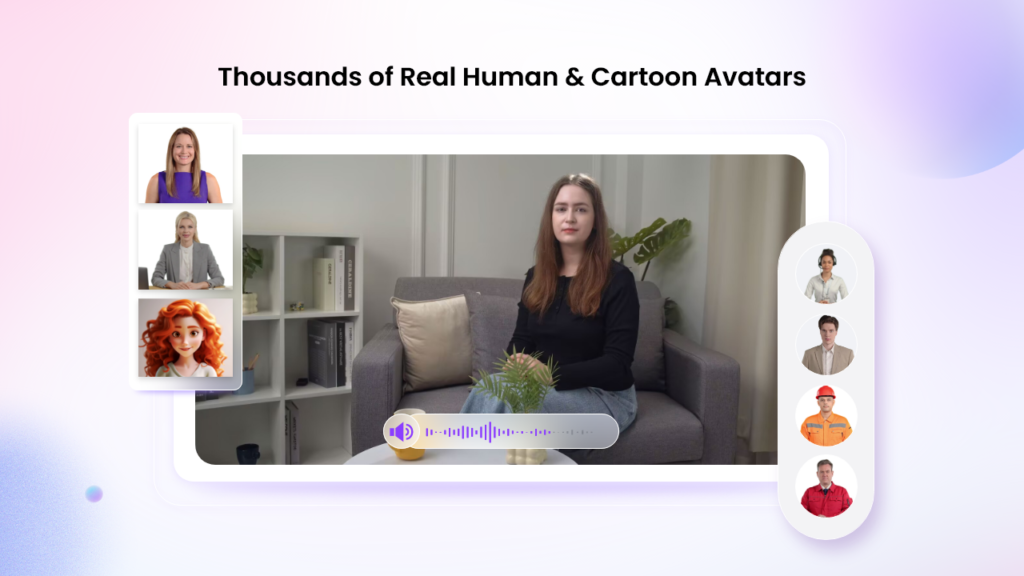
Unsure who will star in your video? Vidnoz AI Video Generator has got you covered with a library of more than 1,900 lifelike avatars you can choose from. These AI-powered talking avatars cover a wide variety of personas from doctors and execs to teachers, customer service agents, and more. Feeling picky? Upload a photo of yourself (or your CEO), and Vidnoz will transform it into a talking avatar just like the ones you see below.
Video Templates
Instead of starting with a blank slate every time, Vidnoz AI prefills videos with design templates tailored to specific situations. There are over 2,800 professionally designed video templates to choose from, including tutorials, product demos, sales pitches, employee onboarding videos, breaking news announcements, and more.
Templates come standard in landscape (19×10) and portrait (10×19) orientations. Which means your video will look great whether it’s playing on YouTube, a TV monitor, or in an Instagram post. Additionally, themes, subtitles, scene transitions, and visual effects are automatically generated for you.
Custom Branding
If your business relies heavily on video, you can even create custom branded templates. Once created, every video you produce will instantly adopt your company colors, logo, and tone of voice. Ensuring a consistent brand experience for your audience everywhere you produce videos at scale.
AI Voices
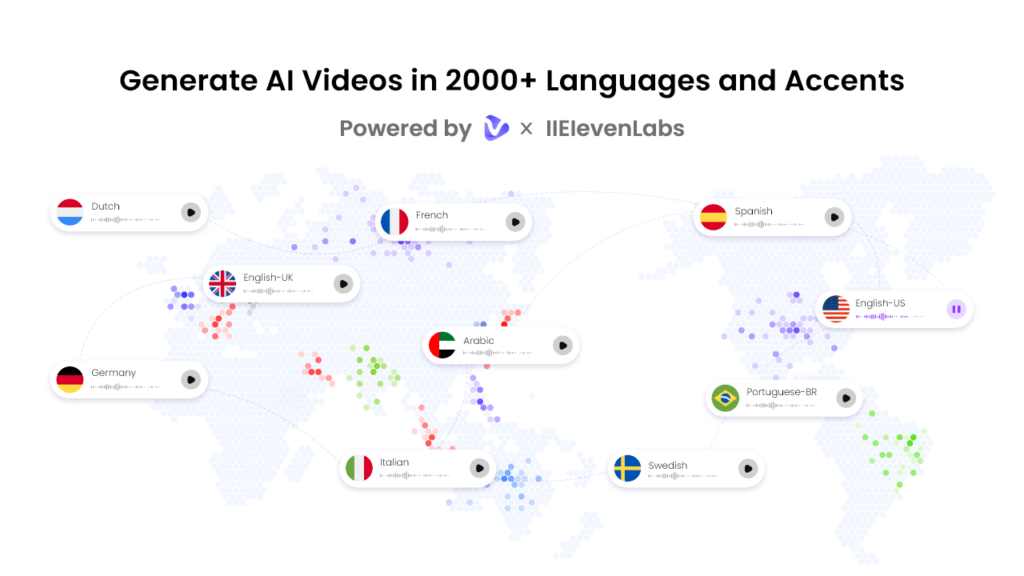
Where Vidnoz AI really shines is in its collection of artificial intelligence-powered voices. There are over 2,000 AI voices to choose from, and they speak over 140 languages. Every voice on Vidnoz is sourced from either ElevenLabs, Microsoft, or Google. So, you know you’re getting a studio-quality voice every time.
Free to Use
Vidnoz AI also includes a free version, which allows content creators and marketers to create a 2-minute video daily for free. The best part of this version is that it includes all the advanced features, such as Avatar Lite, Avatar Pro, Online Video Editor, AI Voice Changer, and more.
Al Video Wizard
It enables users to produce high-caliber social media content utilizing basic text prompts or any available source material. Eliminating the need for professional design assistance or editing expertise, the workflow is streamlined: input your text, select an avatar and template, and click “Generate” to produce your asset.
Use Cases: Vidnoz vs. CoPilot Videos
Ready to see Vidnoz AI in action? Below, you’ll find a few examples showcasing exactly what Vidnoz is capable of. From product demos to company announcements and investor presentations. If you’re curious about how Vidnoz compares to another video creation platform called CoPilot Videos, you can view those examples here.
How to Use Vidnoz AI?
Alright, let’s dive into Vidnoz AI Video Generator and see what this platform can do.
- Head over to vidnoz.com and click the Get Started button.
- Browse through the template library and choose one that best fits the type of video you’re creating. We’re going to create a product overview, so we’ll select that template.
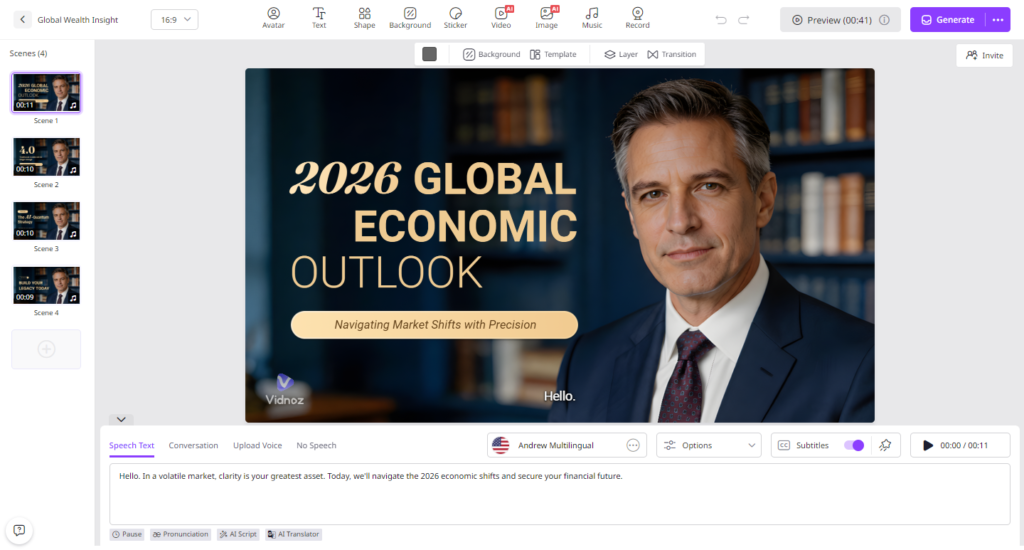
- Upload your logo or brand color if you want to use a custom avatar. Otherwise, select an avatar that best matches your target audience. Keep in mind you can also upload a photo and generate a talking avatar from that image as shown below.
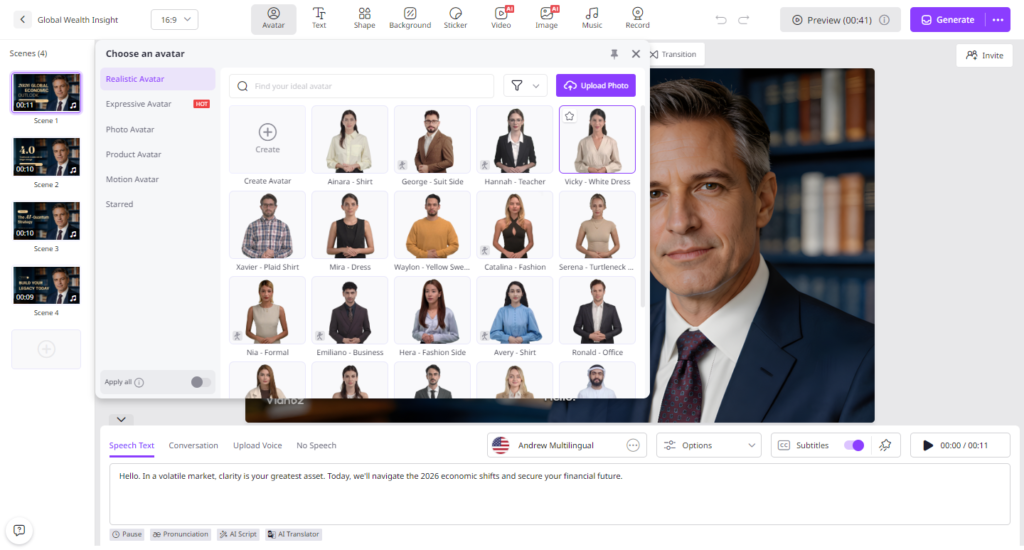
- Next, you can either paste your script into the text box or use Vidnoz AI to generate a script for you. Simply enter a topic, choose a tone that fits your brand, and press write.
- Time to pick a voice. You can filter through thousands of AI voices by language, accent, gender, emotion, pitch, and style. Once you find one you like, click generate video.
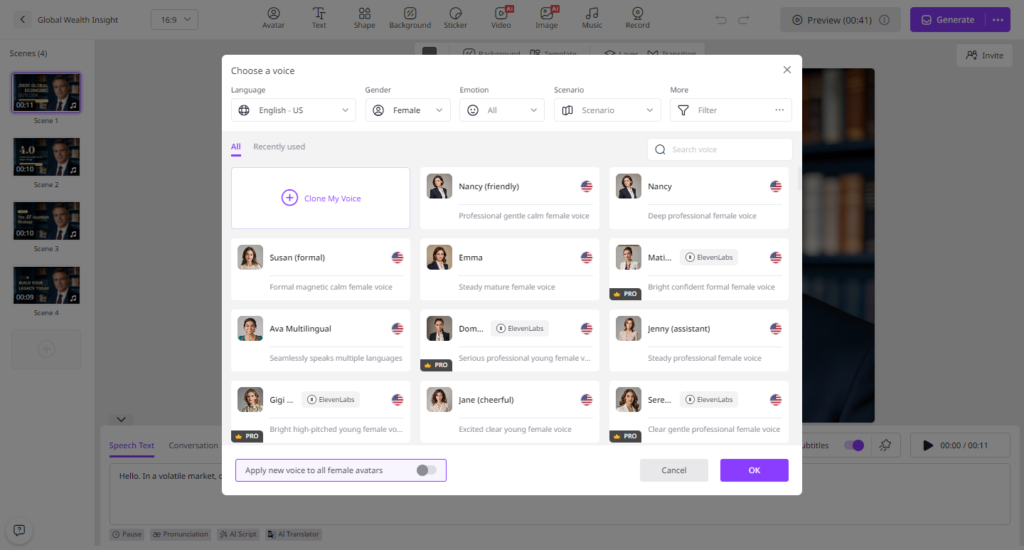
- (optional) Use the video editor to trim clips, swap out backgrounds, or rewrite lines directly inside the platform.
- Click render, and Vidnoz will process your video, usually in just a few seconds. When complete, you can download your video or share it directly to social media.
You’ve now created your first video with Vidnoz.
Final Words
Producing professional videos is no longer limited to big businesses with big budgets. Small companies and startups can leverage AI to communicate with customers online in ways that would have cost tens of thousands of dollars only a few years ago. Whether you’re announcing new product launches, sharing important news updates with the team, explaining how to use your software, or welcoming new employees on board – Vidnoz AI has every template and feature you need to get the job done.
 Nacht Team